
It's 10 pm. A customer asks how much six windows cost.
You're still on site, the price list is at the office and tomorrow you have three surveys. By the time you can answer, they have already asked someone else. OneSpec changes the ending: your website gives them the price, right away, from your own price list.
The problem isn't the customer. It's everything that happens before the quote.
Quotes get done in the evening
Sizes, materials, glazing, VAT: every request is a sum to redo by hand after work. And the longer the customer waits, the colder they get.
Lots of calls, few customers
Browsers with no budget, site surveys for sizes the customer hasn't decided yet. Your hours, paid by no one.
Your price ends up in the wrong hands
Someone who asks for a quote only to pass it to a competitor takes your work for free, and you never know.
See OneSpec in action
The configurator lives on your website. The customer chooses, sees the drawing and the price, and sends you a complete request: you get a contact who already knows what they want and what it costs.
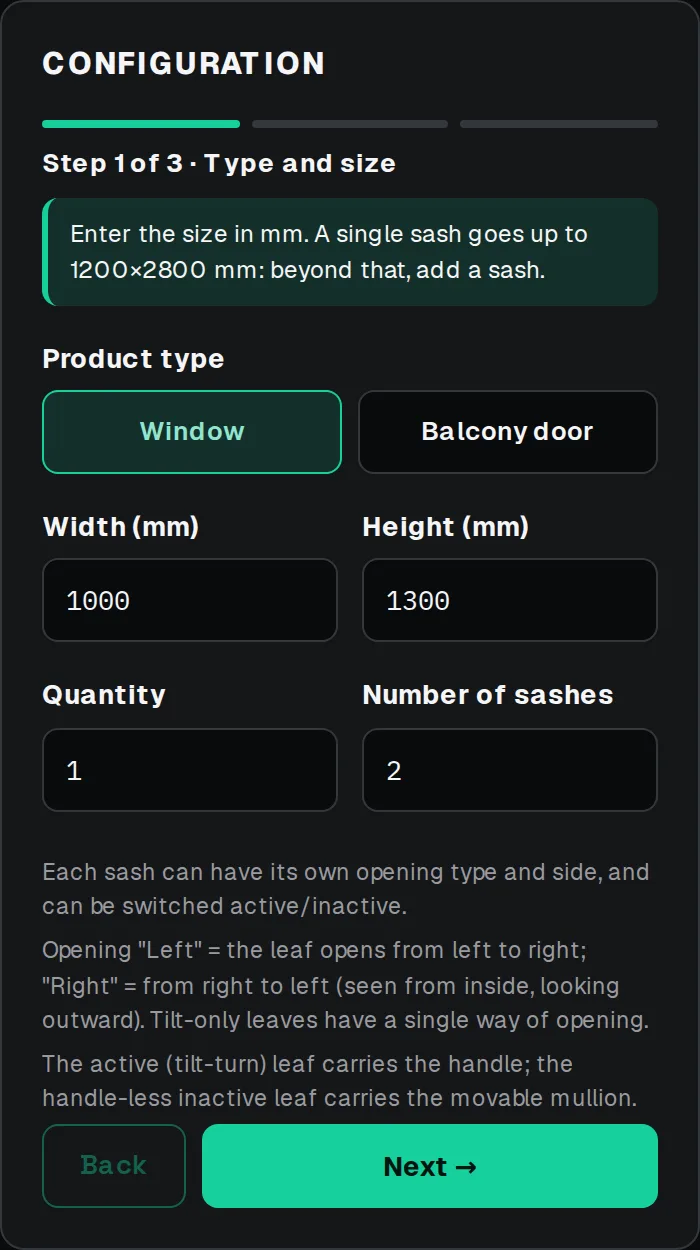
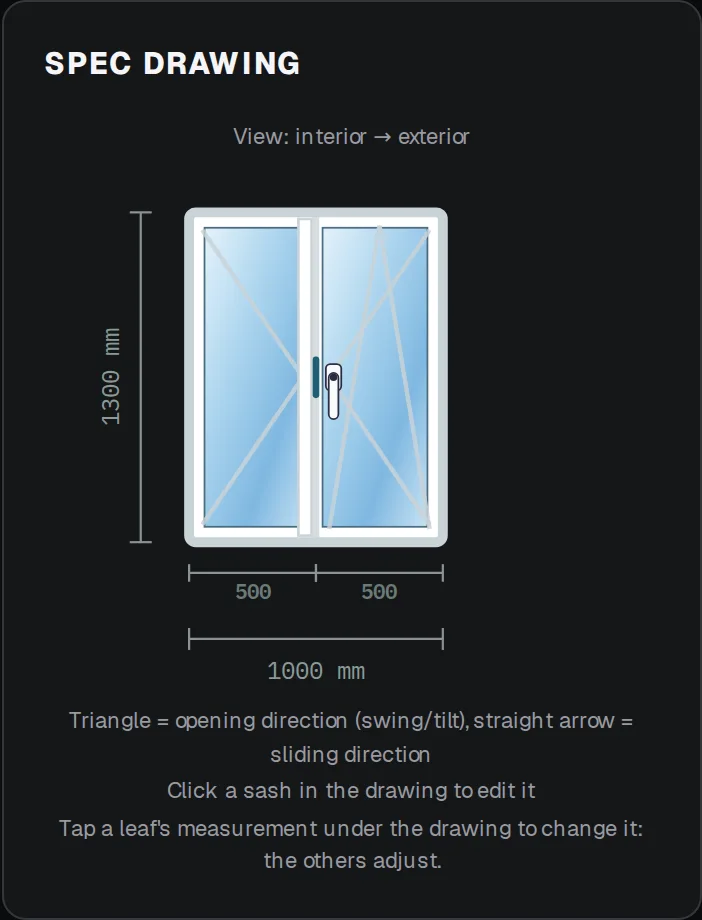
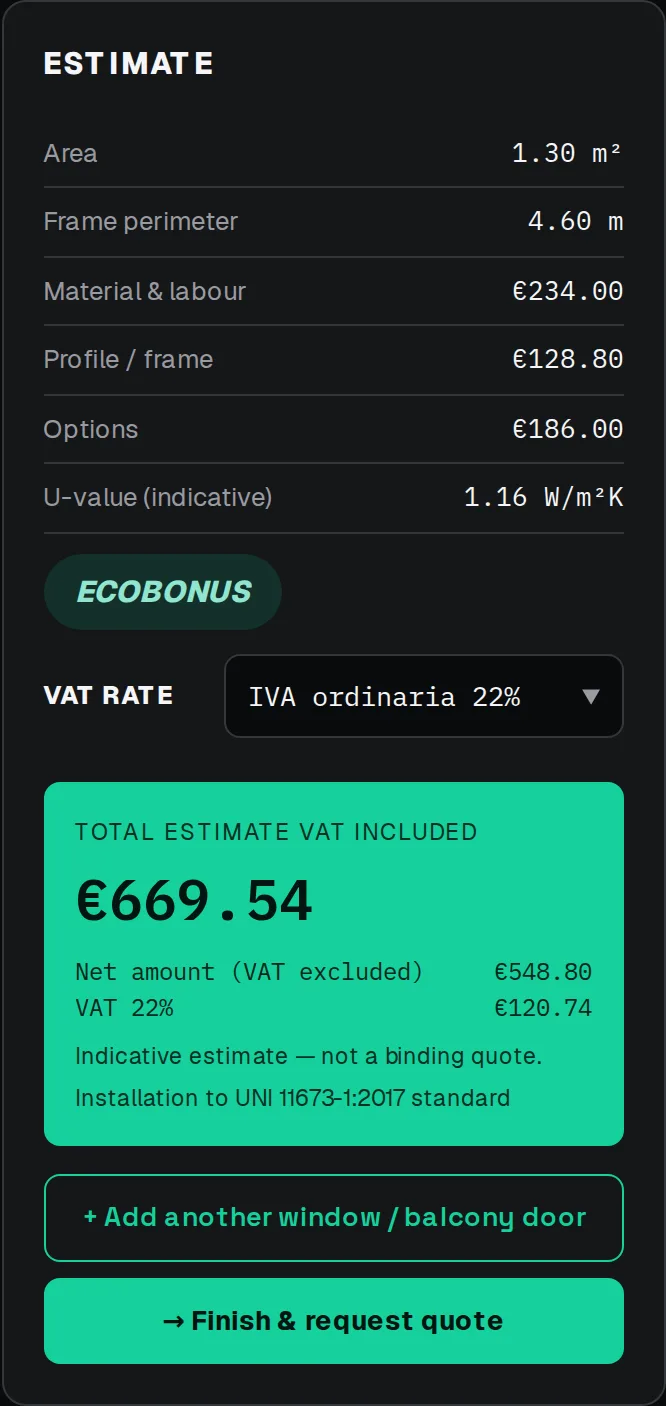
What your customer can choose
Items and prices come from your price list: you only show what you sell. The customer can follow the guided path, in a few steps, or see every option.
From your price list to your website in four steps
No development: you prepare the configurator in the platform and paste it into your website.
1. Import your price list
Upload a CSV file with materials, glazing, finishes and hardware with their prices, then complete sizes and pricing rules from the platform, without retyping everything by hand.
2. Brand the widget
Choose colors, fonts, logo and copy for the configurator from the platform. The result is a widget that looks built specifically for your site, not an external plugin.
Active color: #0fbf8f
3. Paste the iFrame code
A single snippet to paste on your site's page. The configurator is responsive by default: designed for mobile and desktop, not just adapted.
<iframe
src="https://platform.onespec.eu/w/tuo-configuratore"
width="100%"
height="720"
loading="lazy"
style="border:0;"
></iframe>
4. Always update from the platform
Change prices, add products or edit discount rules from the onespec dashboard. Changes go live on every site where the widget is installed, without touching the client's code.
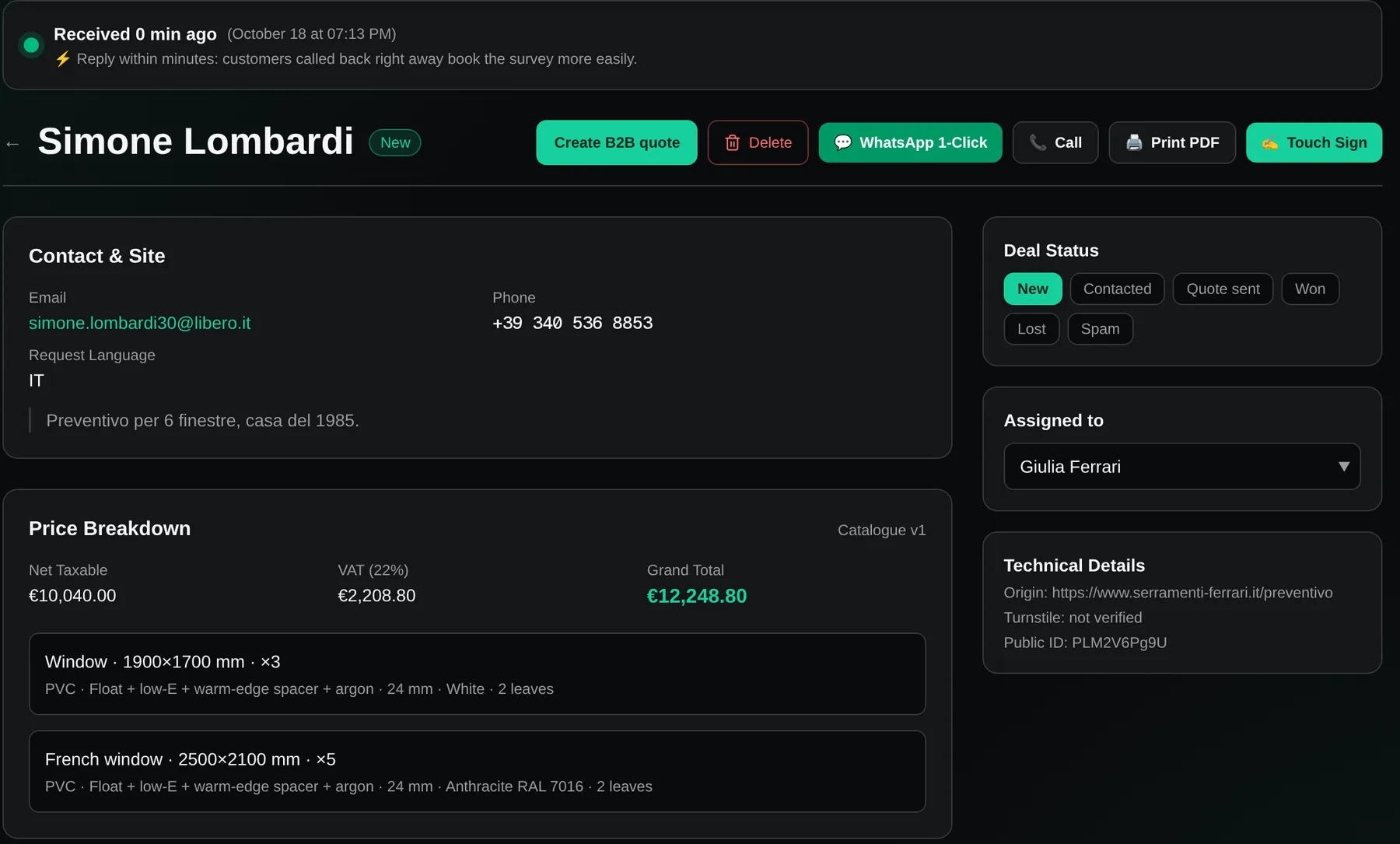
The dashboard where you control everything
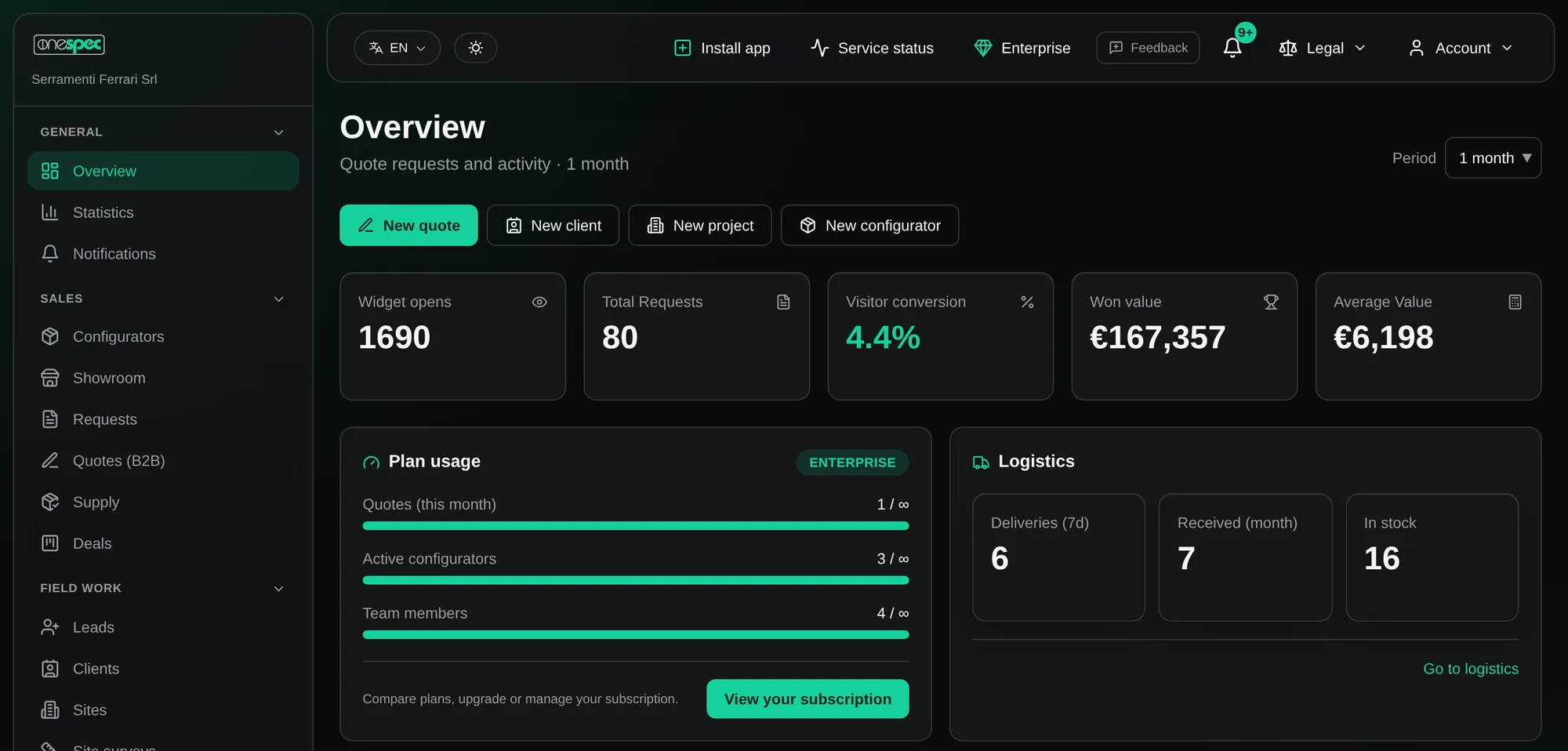
Open the platform and at a glance you know how many people opened the configurator, how many wrote to you and what the work is worth. This is the real screen, with the demo's sample data.
Who comes and who writes
Configurator opens, requests received and the share of visitors who become requests.
What the work is worth
Value of won quotes and average value, over the period you choose.
Your plan at a glance
Quotes this month, active configurators and team members against your plan's limits.
Materials and deliveries
Deliveries this week, materials received and what is in stock.
Support included in every plan
The level of support grows with the plan you choose.
Email support
Email assistance for everything about the platform.
Priority support
Your requests go to the front of the support queue.
Dedicated support
A dedicated channel for dealer networks and showrooms.
You write the ending
Next time a customer asks for a price at 10 pm, your website answers. The next morning you find a complete request and call someone who has already seen the price.